One live floor plan for the whole show: stands and aisles laid out round the pillars and fire exits, every stand's status and price on the plan, the aisles checked against the fire rules of the country you're in, and the finished hall in 3D, with the exhibitors' names on the fascias, before anything is built.
Start Free Trial Send us your hall plan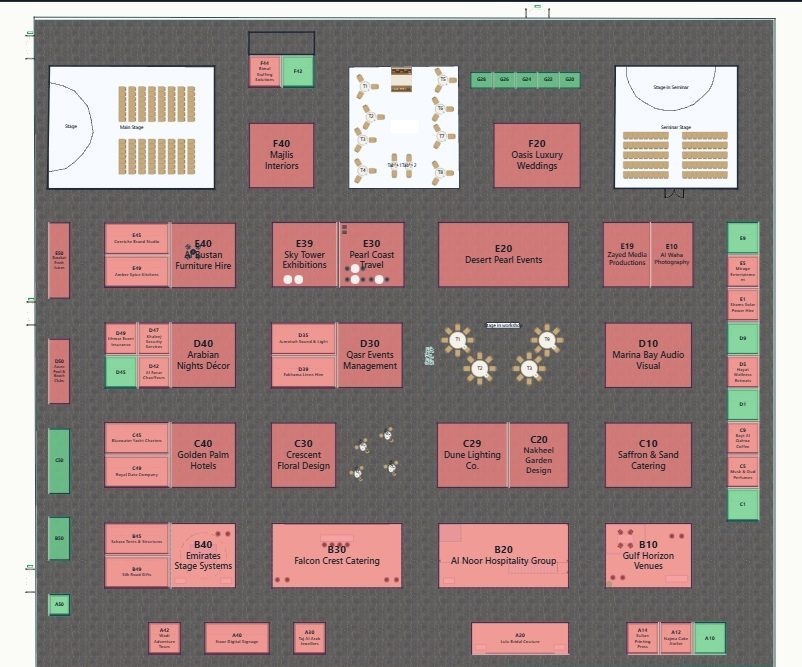
Running a show from spreadsheets, PDFs and inboxes hurts in the same places every year. Each of these answers one of them.
Drag out the area and choose your stand sizes and aisle width. Metis fills it with numbered stands and aisles, clear of pillars, stages and fire exits, and offers the best few layouts to pick from. Merge, split or reshape any stand afterwards, including L-shapes.
Import the plan as a PDF or picture and Metis finds the stands drawn on it, or trace them one after another. Stand numbers are read off the drawing as you go BETA, and you can number the rest by clicking, row by row.
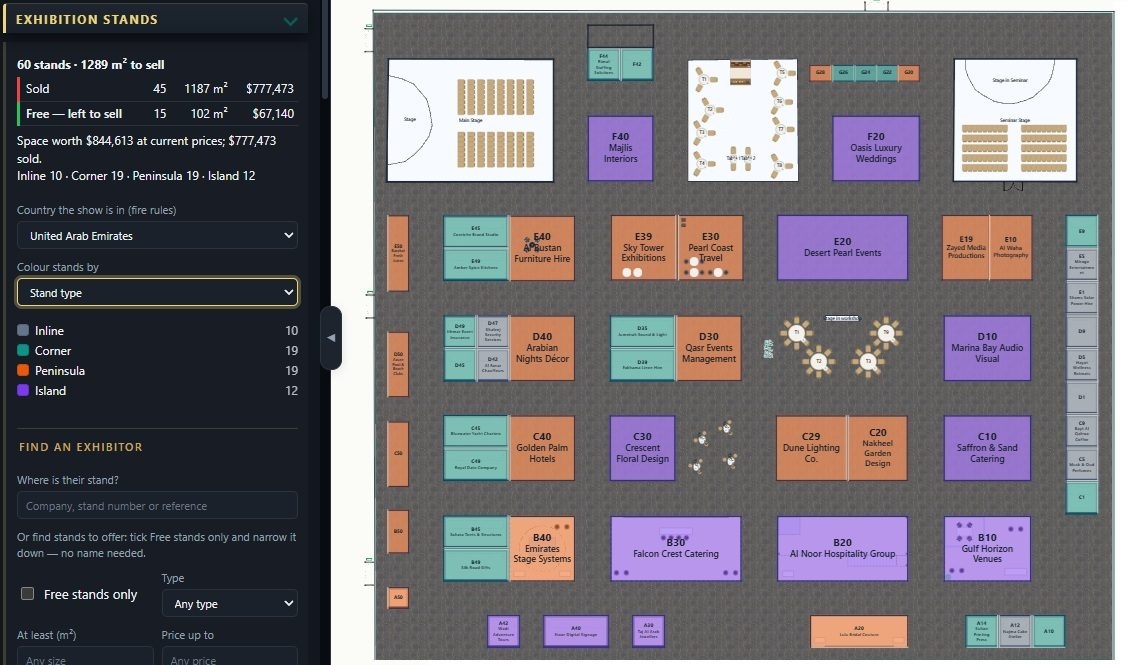
Every stand is free, held, reserved, sold or blocked, coloured on the plan. Ask for free corner stands under a size or a price and they glow. The panel keeps the running total: what's sold, what's left and what it's worth.
Freeing a sold or reserved stand, changing a booked stand's price or taking an exhibitor off asks for a reason first. Every change of status, price, exhibitor or lock is kept on the stand: who, when and why.
Set a price per m² for shell scheme and another for space only. Corners, peninsulas and islands are worked out from the stand's open sides and priced with your premiums. Add a price list for power, water, internet, rigging and furniture hire, and each exhibitor's total is calculated.
A heat map of where visitors walk, from the entrances and turnstiles to the stages, café and every stand. Busy and quiet stands are named, and you can price them accordingly.
Check the floor lists stands that clash, block a fire exit, sit on a pillar, or face each other across an aisle that's too narrow, with the narrow aisles marked red. The fire officer pack checks exits, aisle widths and walking distances for the country the show is in.
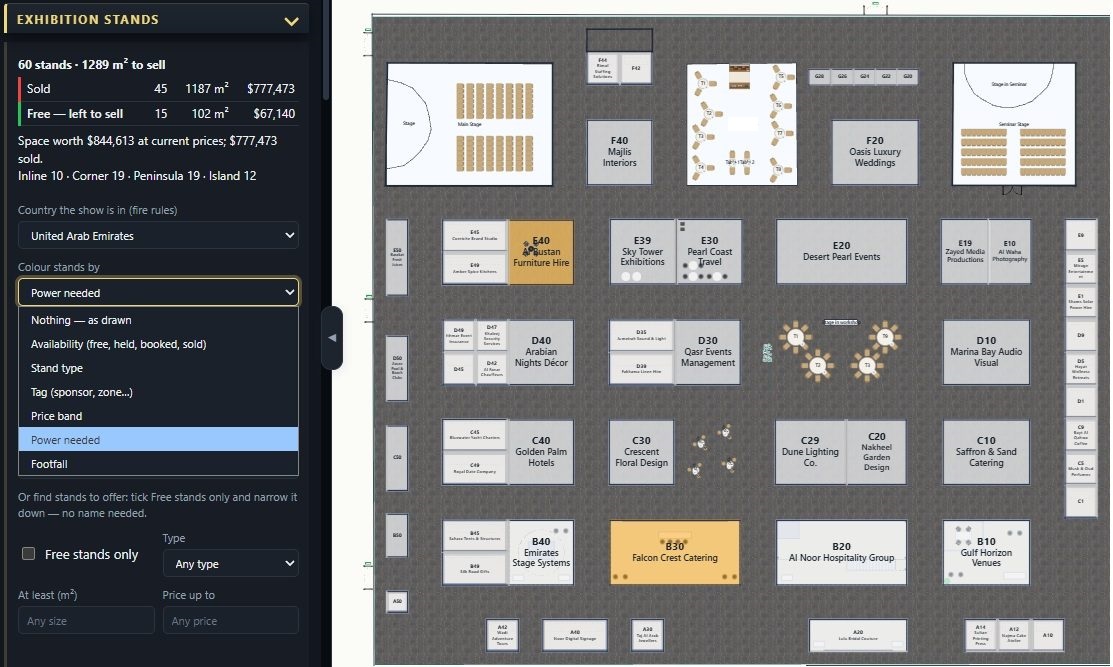
Keep the people at each exhibitor and stand builder, kept encrypted on our servers and never in the plan, and deleted automatically after the event. Record each stand's power, water, internet, rigging and hired furniture, and colour the plan by any of them for the build crew.
Copy this show for next year keeps the hall, stand numbers, sizes and prices, frees every stand and notes last year's exhibitor on each, so you can offer it to them first.
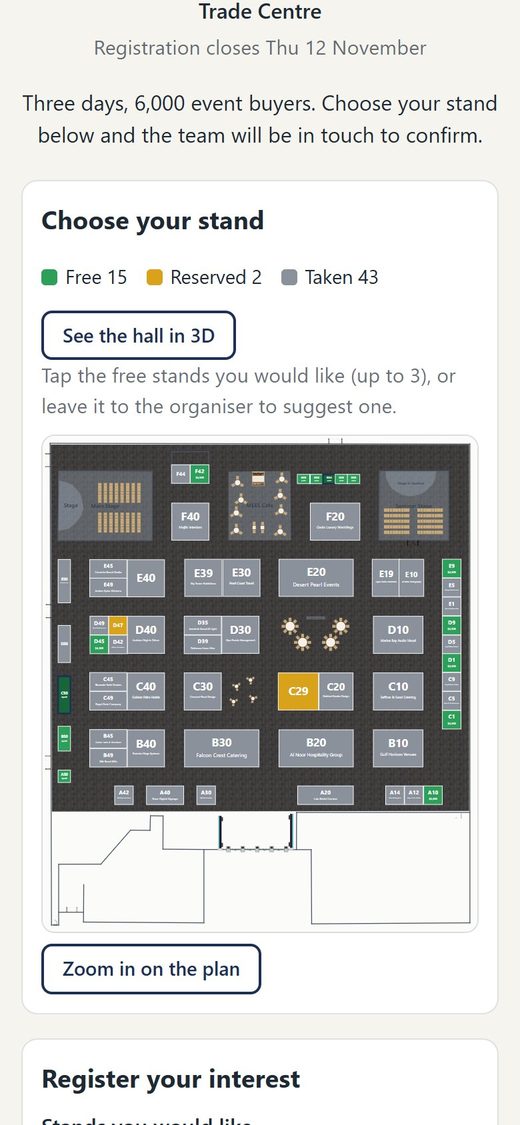
Give every show its own registration page. Companies see the hall as you planned it, pick the free stands they want and register in a couple of minutes, on a laptop or a phone. Each registration comes straight to you, and you decide who gets which stand.
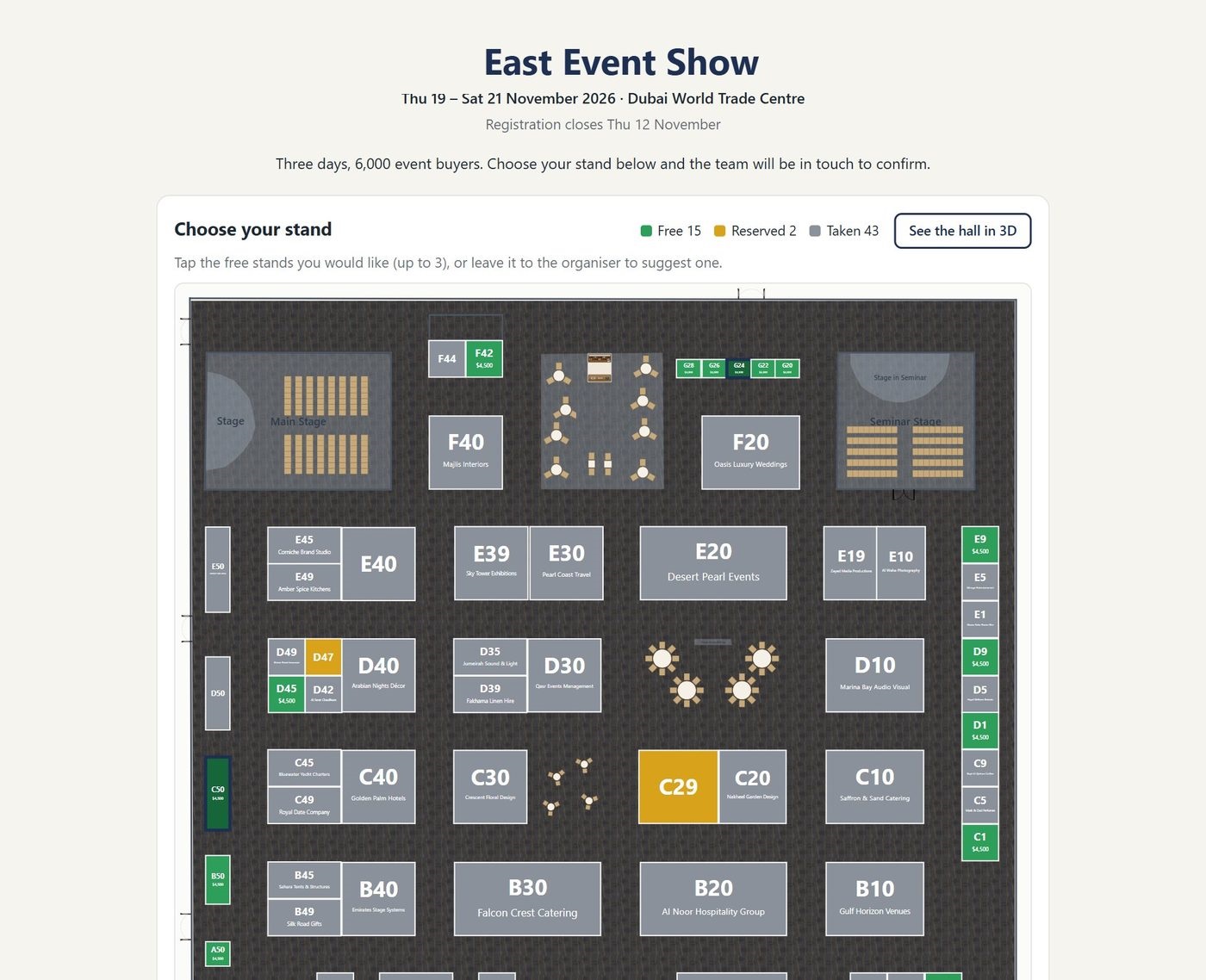
Your logo, colours and lettering, the dates and the venue, and a closing date. Share the link, print the QR code on flyers, add a button to your website or put the whole page inside it.
Free, reserved and taken stands are coloured on the hall as you drew it, with the carpet, stages, seating and café. Show prices on the free stands and exhibitors' names on the sold ones, if you choose. Save the plan and the page shows it straight away.
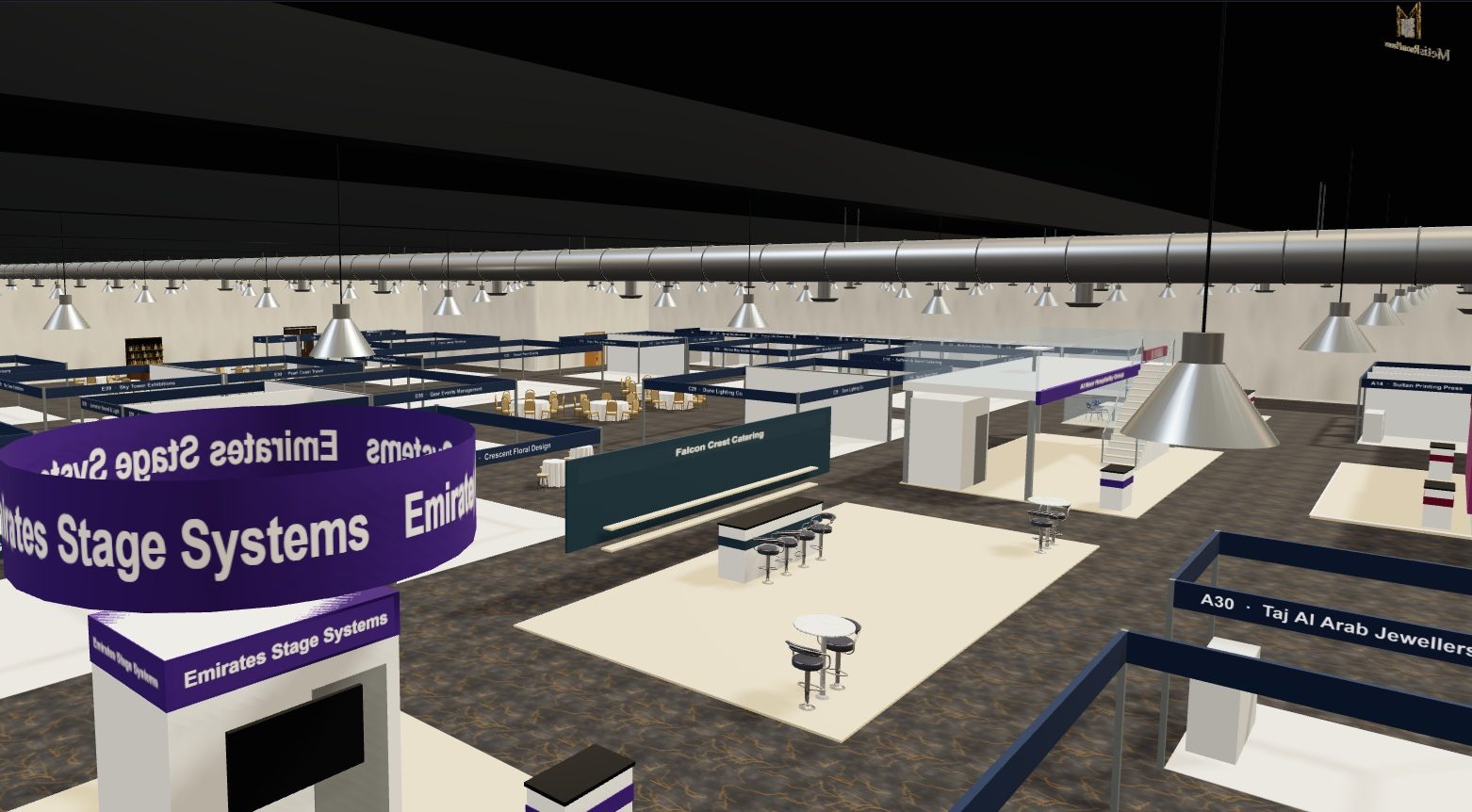
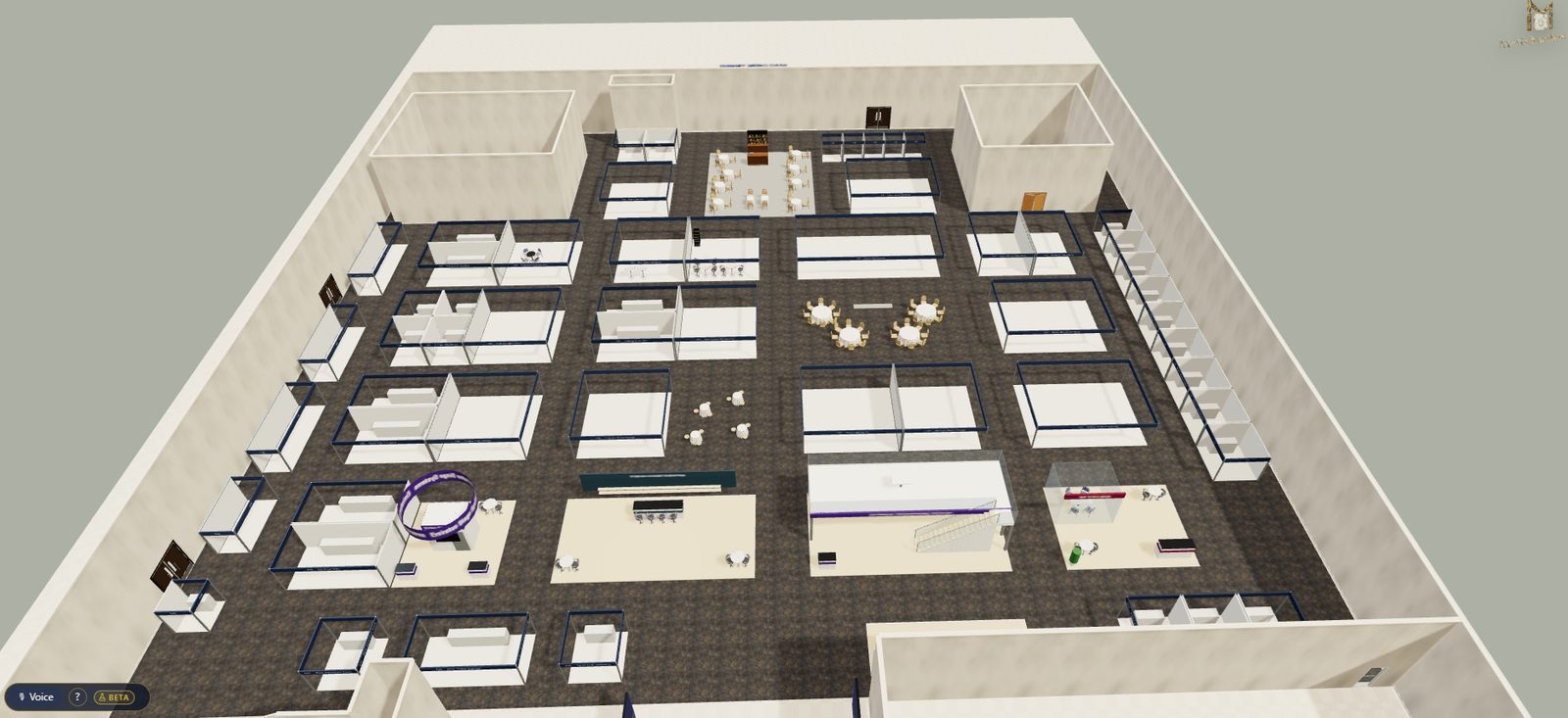
Switch on See the hall in 3D and companies can walk round the show before they choose, with the free stands marked on the floor.
Each one arrives by email with a button that opens the show in Metis, and the company gets a thank-you email. The Registrations button in the planner counts the new ones across all your shows.
Nothing is reserved until you say so. Tick the stands to hold for a company, or click a stand on the plan to see every company that asked for it and hold it for the one you choose.
The consent tick names who collects the details and links to their privacy notice. Bot checks and limits keep junk out, and when you hold a stand the person goes into your encrypted exhibitor contacts.
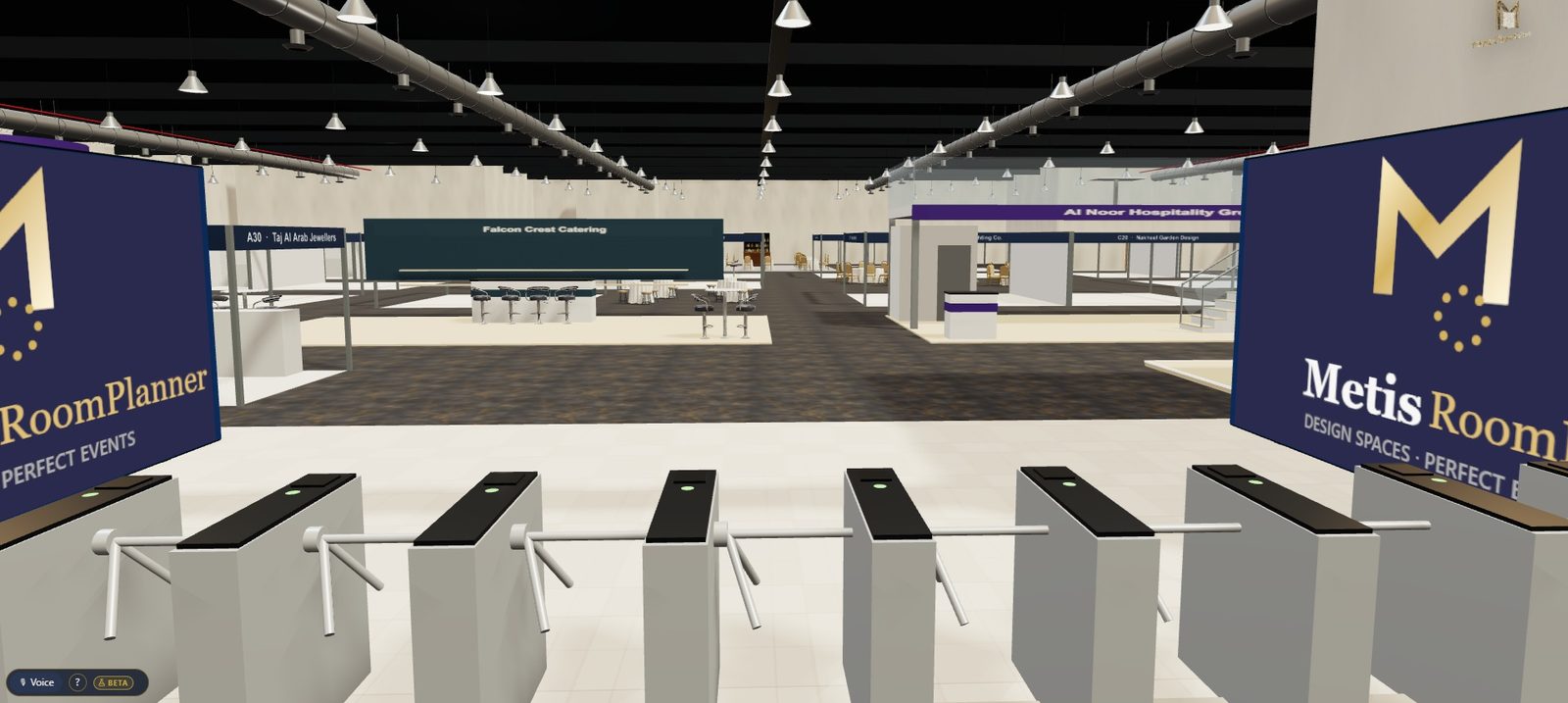
Every stand in the plan is built in 3D as you go: shell scheme walls with each exhibitor's name on the fascia, space-only stands with a sample design until their own is in, hanging banners, two-storey stands with stairs and glass balustrades, LED video walls, turnstiles at the entrance and an exhibition-hall ceiling with ducts and high-bay lights. Walk exhibitors and sponsors round it on a laptop or the big screen in the sales office.
Working out how much floor you need first? Try the free trade show floor space calculator.
Set the country and the aisle widths, travel distances, floor space per visitor and exit widths follow its usual rules. The fire officer pack lists what that country's officer will ask for.
The checks are there to catch problems early. The venue's fire risk assessment and the local fire officer always have the final say.
Yes. Import it as a PDF or picture and set its scale. Metis finds the stands drawn on it, or you trace them, and the stand numbers can be read off the drawing as you go (in beta, so do check them).
Yes. Each show can have its own registration page, in your logo and colours, where companies see the hall plan, pick the free stands they want and register. Share it as a link, a QR code, a button on your website or the page inside your website. Every registration comes to you by email and in the planner, and nothing is reserved until you hold the stands, so when two companies want the same stand the choice is yours.
The United Kingdom, France, Spain, Germany, the United States and the United Arab Emirates. The aisles, exits and walking distances follow the country you set, and the fire officer pack lists what the officer will ask for. The venue's own fire risk assessment always has the final say.
Yes. Any stand can be either, with its own price per m². Space-only stands carry the stand builder, build height, covered or two-storey, and design approval, and show a sample design in 2D and 3D until the exhibitor's own is in.
Yes. Export DXF gives a drawing for AutoCAD, BricsCAD, Vectorworks and the like, in millimetres, with stands, numbers, walls, doors and furniture each on their own layer.
On our servers, encrypted, and never in the plan file itself, so sharing or exporting a plan never shares anyone's details. They're deleted automatically after the event.
No credit card. Full feature access. Send us your hall plan and we'll set your first show up with you.